
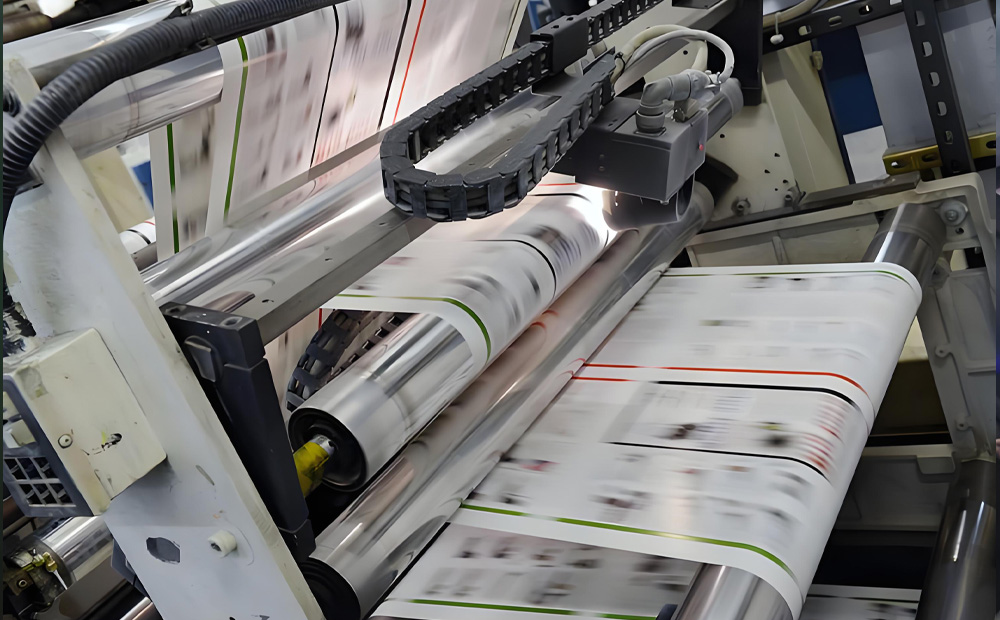
Cleaning printing equipment after using UV flexographic inks is a critical step in maintaining optimal press performance and prolonging the lifespan of your machinery. Proper cleaning ensures that residual ink doesn’t harden on components, which can lead to defects in future prints, equipment damage, or increased downtime.
Why Proper Cleaning Is Important
Prevents Clogging and Buildup: Residual UV inks can cure on press components if not cleaned properly, causing clogs and uneven ink flow.
Maintains Print Quality: Clean equipment ensures consistent ink transfer and prevents contamination of new inks.
Extends Equipment Life: Regular cleaning reduces wear and tear on parts like anilox rolls, doctor blades, and plates.
Minimizes Downtime: Clean equipment is less prone to malfunctions, reducing costly production interruptions.
Step-by-Step Cleaning Process
- Shut Down the Equipment Safely
Turn off the printing press and disconnect power sources to prevent accidental activation during cleaning.
Allow the equipment to cool down if it has been running, as hot surfaces can be hazardous. - Remove Excess Ink
Use a spatula or scraper to remove as much excess ink as possible from trays, fountains, and other components.
Dispose of waste ink in a designated container, ensuring compliance with local environmental regulations. - Clean the Anilox Rolls
The anilox roll is one of the most critical components in a flexographic press, as it transfers ink to the printing plate.
Use a UV Ink Cleaner: Apply the cleaning solution to the roll and let it sit for a few minutes to dissolve the ink.
Scrub Gently: Use a soft brush or a dedicated anilox cleaning tool to clean the cells thoroughly without damaging the roll’s surface.
Rinse and Dry: Rinse with water (if compatible with the cleaner) and dry with a lint-free cloth to prevent rusting.
- Clean the Printing Plates
Flexographic plates require careful handling to avoid damage.
Apply Cleaner: Dab a small amount of UV ink cleaner onto the plate.
Wipe Gently: Use a soft, lint-free cloth to remove ink residues without scratching the surface.
Rinse and Dry: If the plate is water-compatible, rinse gently and pat dry.
- Clean the Ink Trays and Fountains
Remove the ink trays and clean them thoroughly with UV ink cleaner.
Scrub away any dried ink or buildup using a brush or sponge.
Rinse with water or a compatible solvent and dry completely before reinstallation.
Proper cleaning of printing equipment after using UV flexographic inks is essential for maintaining print quality, reducing downtime, and extending equipment life. By following the steps outlined above and adopting best practices, you can ensure your flexographic press remains in optimal condition for efficient, high-quality production. Regular cleaning, coupled with proper training and maintenance, will save time, reduce costs, and improve overall operational efficiency.
 StarColor Printing Ink
Leave a comment